
WolfieHPCDesktop gives you a full Linux desktop on a cluster compute node, in your web browser. Use it for any graphical program that doesn't have its own OnDemand app, open terminals, and manage files, all with the node's cores, memory, and (on NVwulf and ClinWulf) GPUs.
On this page: Desktops on each cluster · Start a desktop · Launch settings · Using the desktop · Sharing and display settings · Troubleshooting
Desktops on each cluster
WolfieHPCDesktop works the same way on all three clusters. In each portal, open Interactive Apps and look under Desktops for the app name below.
| Cluster | App name | Runs on |
|---|---|---|
| SeaWulf | Seawulf Desktop | Shared CPU queues (40-core or 96-core nodes), XFCE desktop |
| NVwulf | Nvwulf Desktop | B40 GPU nodes |
| ClinWulf | Clinwulf Desktop | CPU short and long queues, or the GPU short queue |
A desktop is often smoother than X11 forwarding for graphical programs, especially off campus. Many common tools also have their own apps that start them for you, such as MATLAB, ParaView, ChimeraX, or IGV; see the app pages for SeaWulf, NVwulf, and ClinWulf.
Start a desktop
- Sign in to your cluster's OnDemand portal with your NetID and Duo.
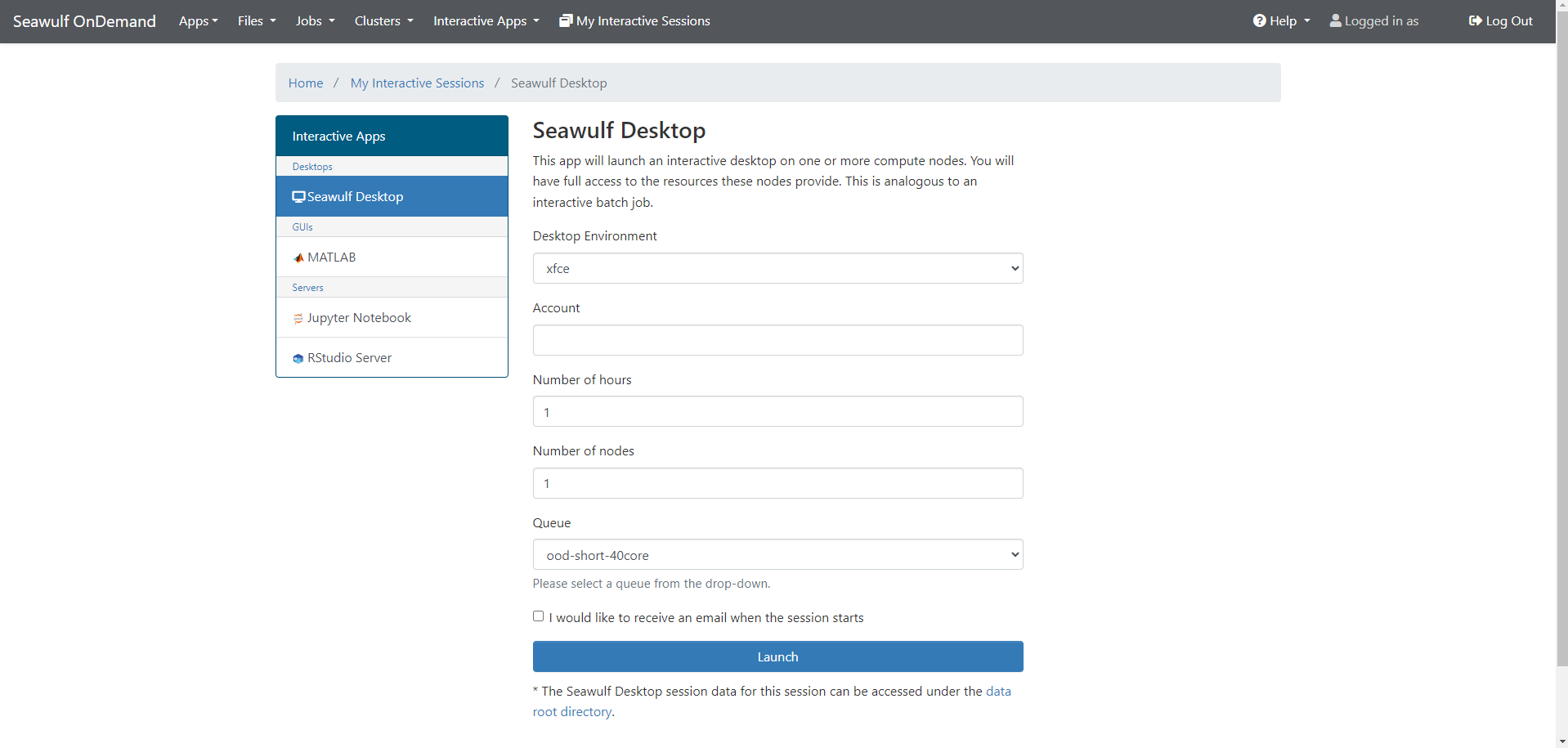
- Open Interactive Apps and choose the desktop app (under Desktops).
- Fill in the form (see below) and click Launch.
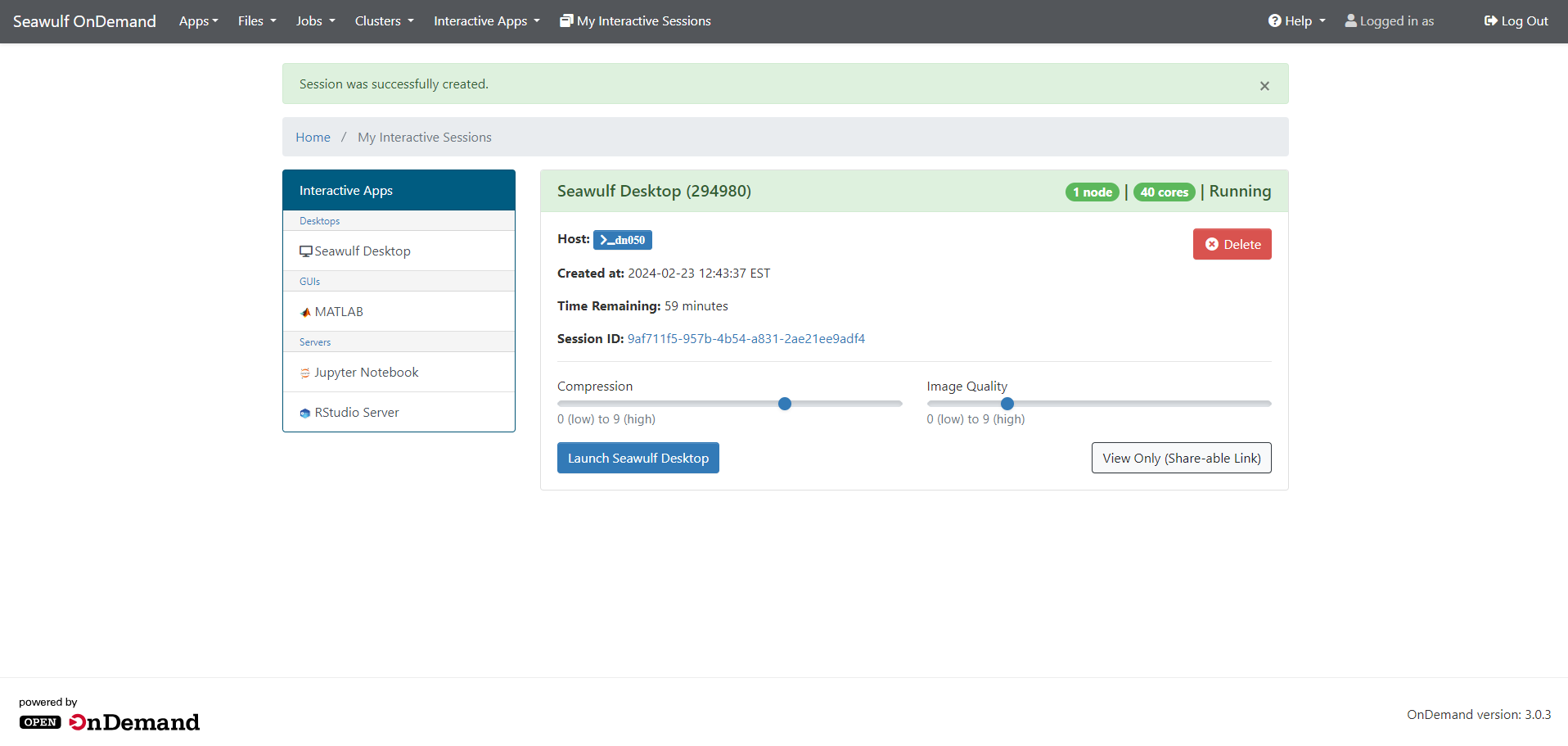
- When the card shows Running, click the launch button. The desktop opens in a new browser tab.
Launch settings
| Setting | What to choose |
|---|---|
| Queue | SeaWulf: short-40core-shared (up to 4 hours), or long and extended shared queues for more. NVwulf: b40x4 or b40x4-long. ClinWulf: cpu_short or cpu_long, or gpu_short for a GPU. |
| Cores | 1 to 4 for most graphical work; more for programs that compute in parallel. |
| Memory | SeaWulf 2 to 164 GB, NVwulf 8 to 480 GB; on ClinWulf type it, for example 16G. 8 GB is a comfortable start. |
| GPUs | NVwulf: usually 1. ClinWulf GPU queue: type and count, for example a100:1. |
| Hours | How long the desktop stays up. It closes at this limit, so save before then. |
Using the desktop
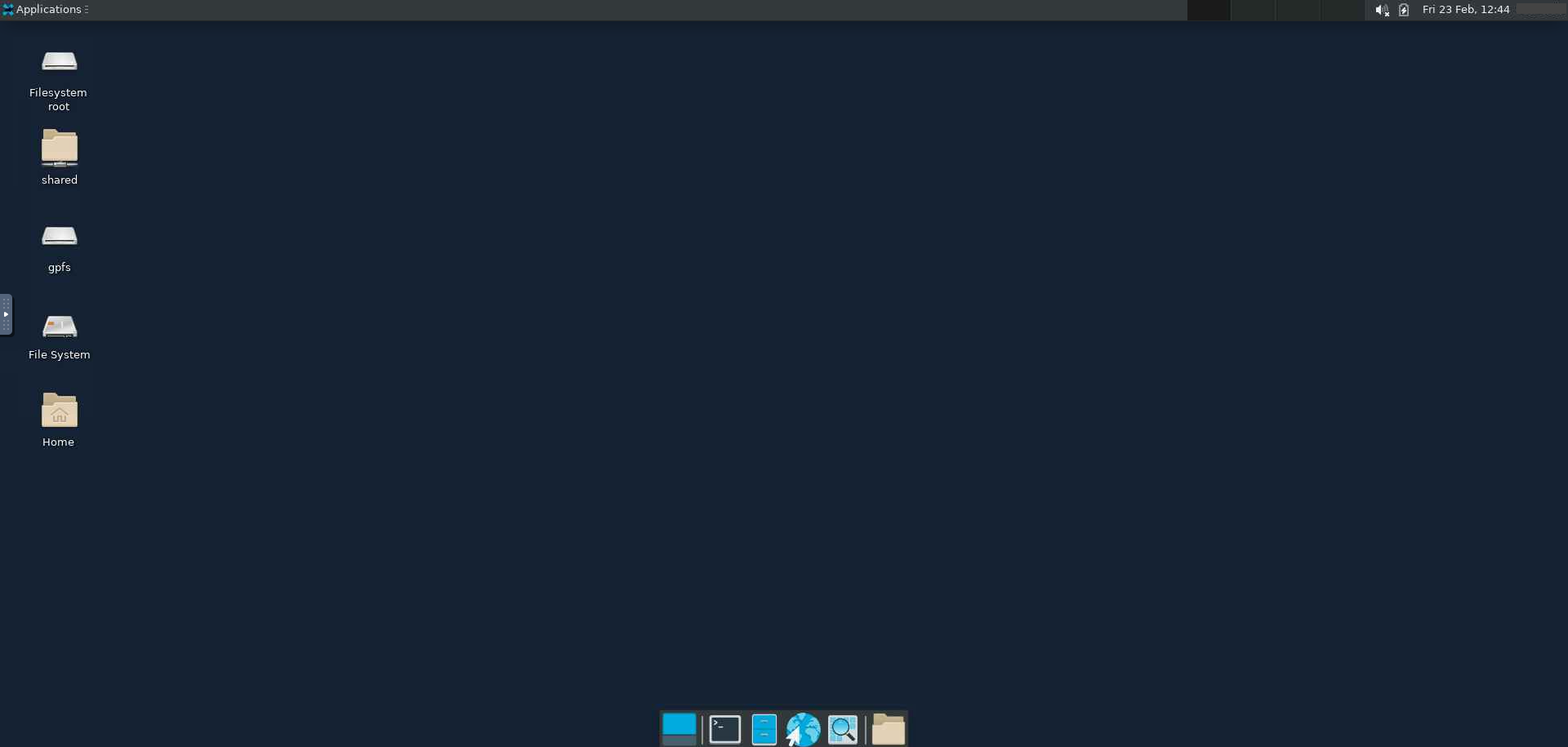
- Terminal: open one from the taskbar at the bottom or the Applications menu. Load modules and start programs there, for example
module load paraviewthenparaview &. - Files: the desktop's file manager opens your home folder; type a path to reach scratch or project space.
- Copy and paste: use the control panel on the left edge of the desktop tab to move text between your computer and the desktop.
- Password prompt: if the desktop asks for a password (for example after the screen locks), enter your NetID password.
- Ending: close the tab, go back to the session card, and click Delete to free the node. Closing the tab alone leaves it running.
Sharing and display settings
The running session card has:
- Compression and Image quality sliders. On a slow connection, raise compression and lower quality.
- View Only (Share-able Link), which lets another cluster user watch your desktop without controlling it. Handy when you're getting help.
Troubleshooting
The desktop is slow or blurry
Adjust Compression and Image quality on the session card and reconnect. A faster or wired network connection helps too.
A 3D program shows OpenGL errors or a black window
SeaWulf desktops have no GPU, so heavy 3D programs may need software rendering or may be too slow. For GPU-accelerated graphics, use NVwulf's desktop or its 3D CT Scan app.
The desktop disconnected
Reconnect from the session card. If the card is gone, the session reached its time limit; start a new one.
My session stays Queued
Try a shorter queue, fewer cores, less memory, or no GPU.
Related: OnDemand overview · X11 forwarding · Using modules