
Jupyter lets you write and run Python in your browser, with plots and notes right next to your code. Through Open OnDemand it runs on a cluster compute node, with GPUs on NVwulf and ClinWulf, and no SSH tunnels to set up.
On this page: Where it runs · Start a session · Launch settings · Use your own environment · Files · Troubleshooting
Where it runs
| Cluster | Apps | Runs on |
|---|---|---|
| SeaWulf | Jupyter Notebook, JupyterLab | Shared CPU queues (40-core or 96-core nodes), no GPUs |
| NVwulf | Jupyter Notebook | B40 GPU nodes (RTX PRO 6000 Blackwell, 96 GB per GPU) |
| ClinWulf | Jupyter Notebook, JupyterLab | CPU or GPU queues, for work with PHI |
Jupyter Notebook is the classic one-notebook-per-tab interface. JupyterLab is the newer interface with a file browser, notebooks, terminals, and text files side by side; it's listed under Sandbox while it's being tested. Both open the same .ipynb files.
Start a session
- Sign in to your cluster's OnDemand portal with your NetID and Duo.
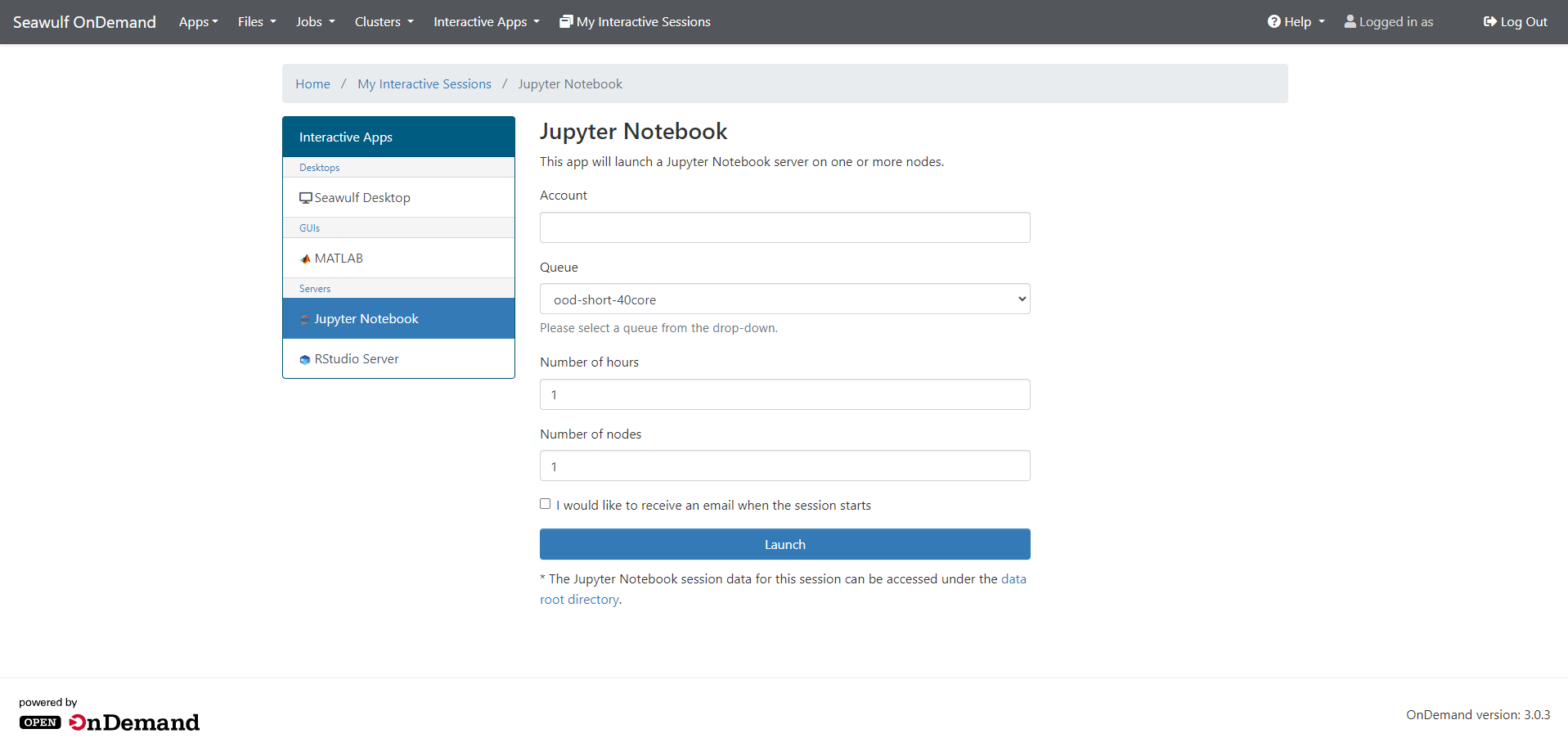
- Open Interactive Apps and choose Jupyter Notebook (or JupyterLab).
- Fill in the form (see below) and click Launch.
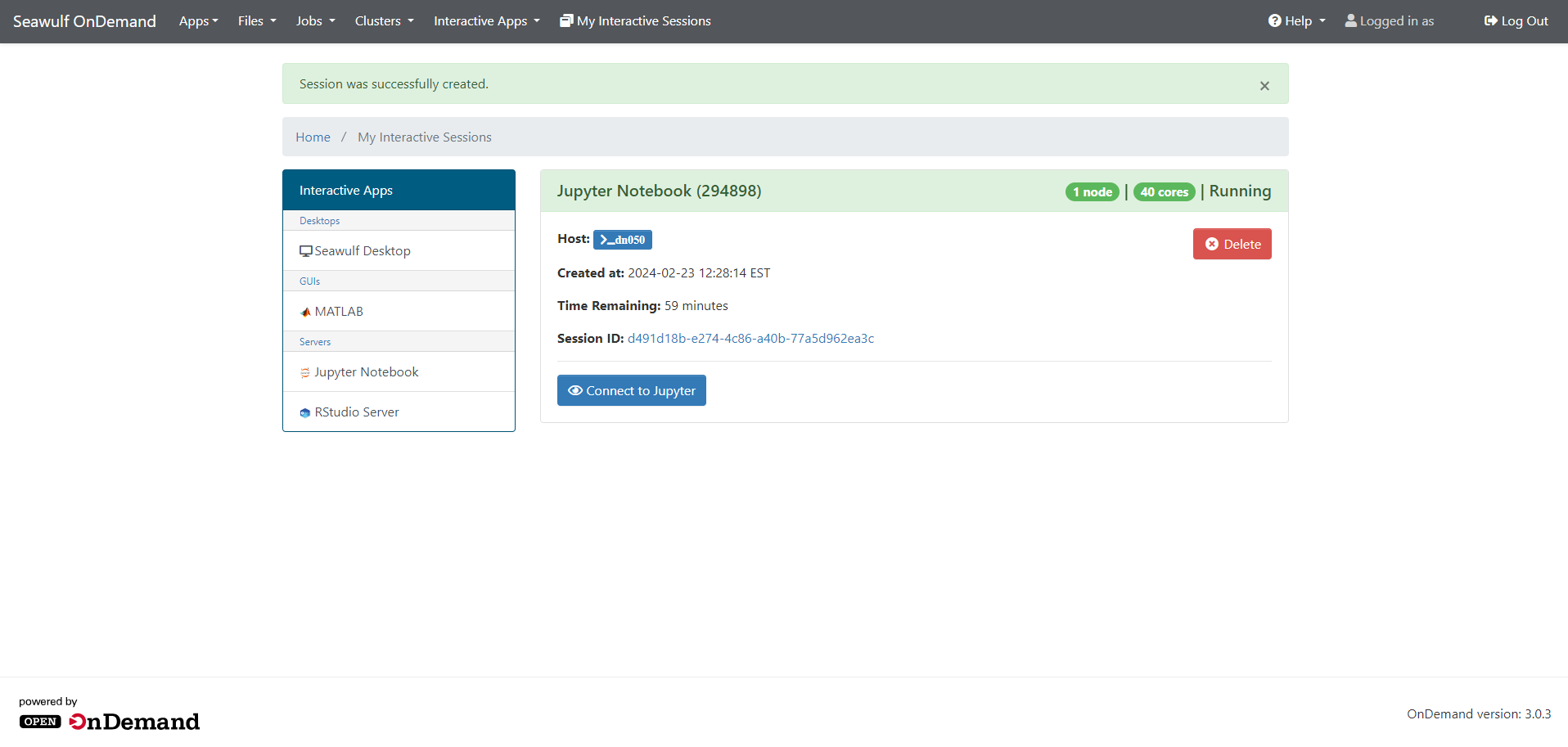
- Wait for the card to show Running, then click Connect to Jupyter.
- When you're done, save your notebooks, close the tab, and click Delete on the session card.
Launch settings
| Setting | SeaWulf | NVwulf | ClinWulf |
|---|---|---|---|
| Queue | short-40core-shared (up to 4 hours) is right for most work; long and extended shared queues for more | b40x4 (up to 8 hours) or b40x4-long (up to 48 hours) | CPU or GPU, in short, long, and extra lengths |
| Cores | 1 to 4 for most notebooks | A few per GPU | Not on the form |
| Memory | 2 to 164 GB; start with 4 to 8 | 8 to 480 GB; start with 8 to 32 | Type it, for example 8G |
| GPUs | None | 1 unless your code uses more | On GPU queues, type and count, for example a100:1 |
Ask only for what you need: smaller requests start sooner and leave room for others.
Use your own environment
To use your own Python packages in Jupyter, turn a conda environment into a Jupyter kernel. Do this once, from a terminal (Clusters then Shell Access). On SeaWulf:
module load anaconda/3
conda create --name myproject python=3.11 ipykernel numpy pandas matplotlib
conda activate myproject
python -m ipykernel install --user --name myproject --display-name "Python (myproject)"
Start a new Jupyter session and pick Python (myproject) from the kernel list. Install more packages later with conda install in the same environment. More in Conda environments and Python package management.
import torch; torch.cuda.is_available().Files
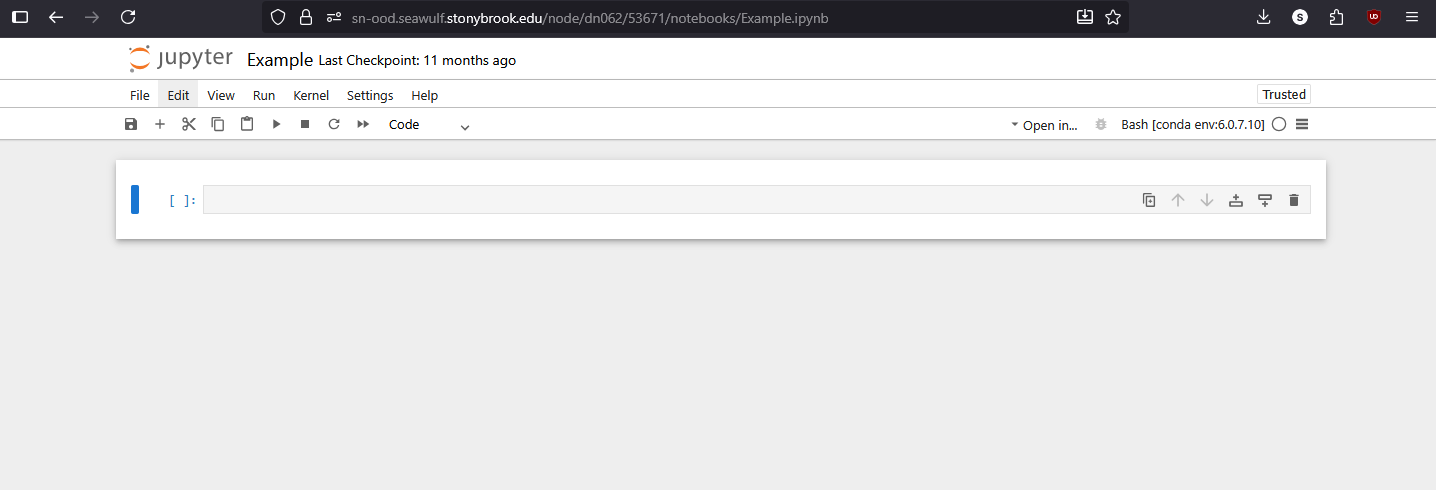
Jupyter opens in your home folder. To reach scratch or project space, add a shortcut once from a terminal, for example on SeaWulf:
ln -s /gpfs/scratch/$USER ~/scratch
ln -s /gpfs/projects/<group> ~/project
Home folders are small (20 GB on SeaWulf), so keep large datasets in scratch or project space and save notebooks you care about somewhere backed up.
Troubleshooting
My environment doesn't appear in the kernel list
Make sure ipykernel is installed in the environment and you ran the python -m ipykernel install --user line above, then start a new session. List registered kernels with jupyter kernelspec list.
The kernel keeps dying or restarting
It's usually out of memory. Delete the session and launch again with more memory, or load less data at once.
My session stays Queued
Try a shorter queue, fewer cores or GPUs, or less memory.
The session ended while I was working
It reached the hours you asked for. Save often and ask for a little more time than you think you need.
"Disk quota exceeded"
Conda environments and caches fill a home folder fast. Check with myquota (SeaWulf), remove environments you no longer use, or create big ones in project space. See Checking storage quotas.
Related: OnDemand overview · SeaWulf apps · NVwulf apps · ClinWulf apps