
Job Composer lets you create, edit, and submit batch jobs from your browser. Start from a template or an existing script, adjust it in the built-in editor, and submit it to the queue without typing sbatch.
On this page: When to use it · Open Job Composer · Create a job · Edit the script and files · Submit and manage · Troubleshooting
When to use it
Batch jobs are the right choice for real work: long or large runs that don't need you watching. Job Composer is a friendly way to manage them if you'd rather not use the command line. If you're comfortable in a terminal, writing job scripts and submitting with sbatch does the same thing.
Job Composer is in the Jobs menu of the SeaWulf, NVwulf, and ClinWulf portals. Each job gets its own folder, so its script, inputs, and output files stay together.
Open Job Composer
- Sign in to your cluster's OnDemand portal with your NetID and Duo.
- Choose Jobs, then Job Composer. It opens in a new tab with a list of your jobs.
Create a job
Click New Job and pick where to start:
| Option | Use it when |
|---|---|
| From Default Template | You want a simple starting script to fill in. |
| From Template | You or your group saved a template for a job you run often. |
| From Specified Path | You already have a folder with a job script and inputs on the cluster. Job Composer copies it into a new job. |
| From Selected Job | You want to rerun an earlier job with small changes. Select it in the list first. |
Edit the script and files
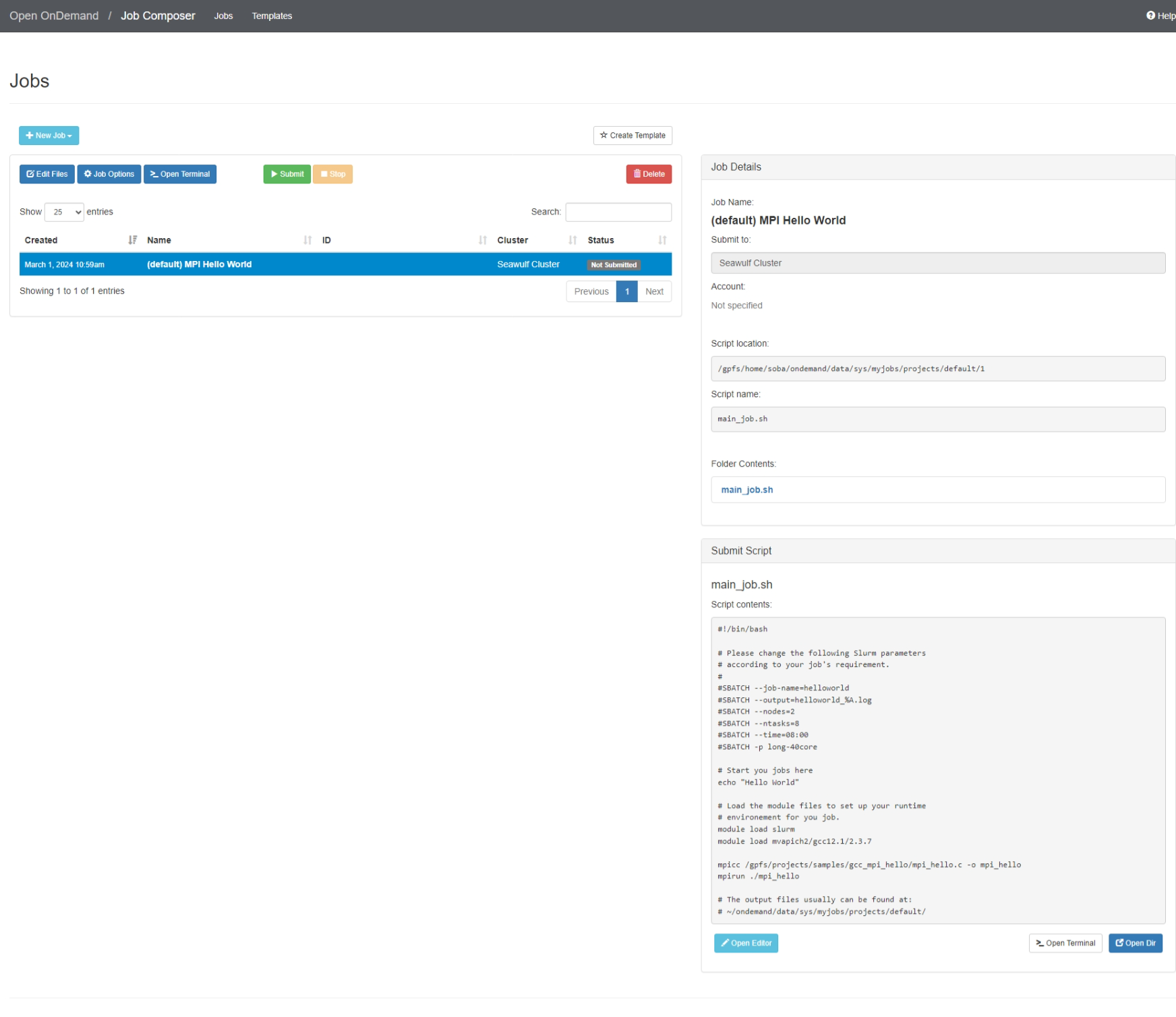
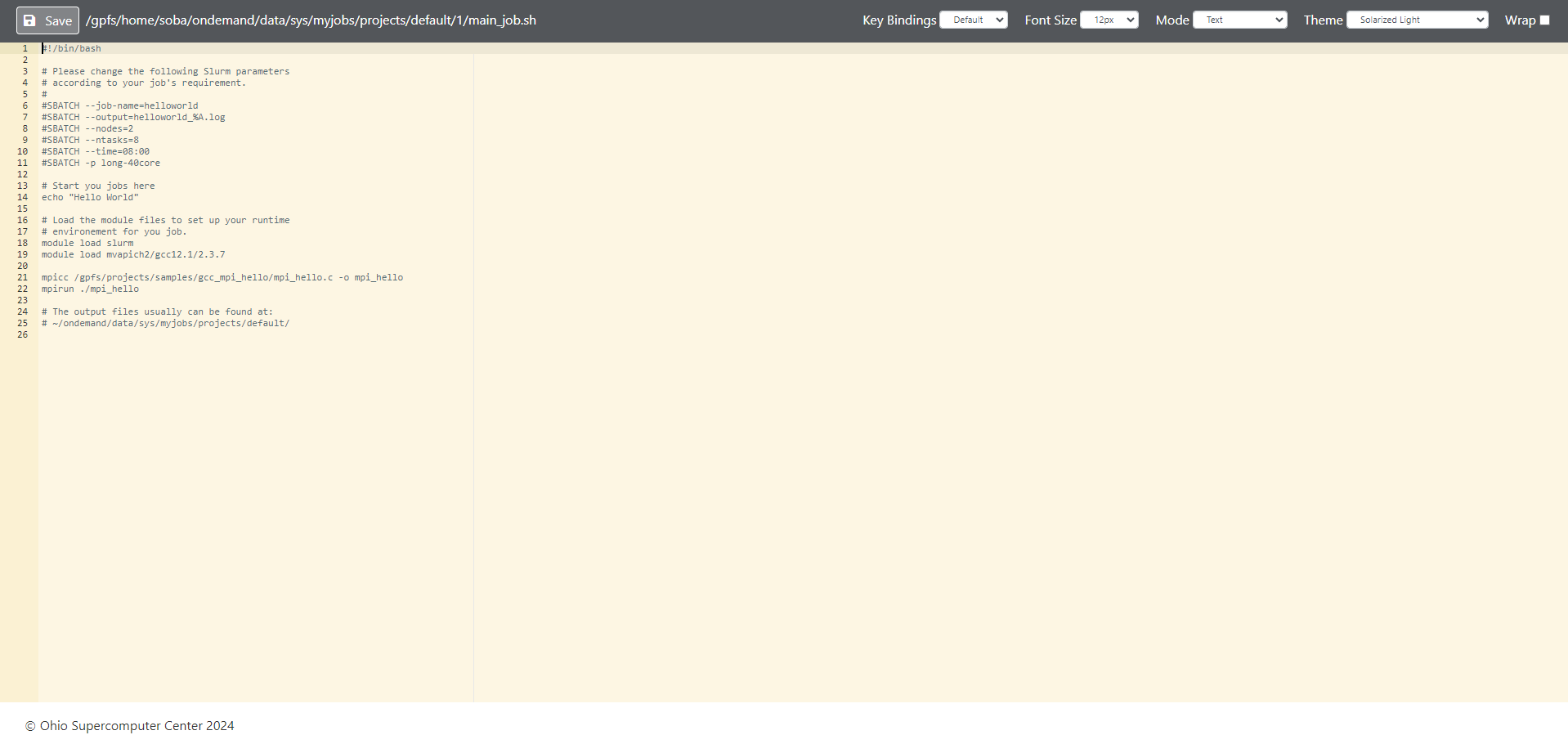
- Open Editor (or click the script's name under Folder contents) opens the job script in a text editor in a new tab. Save with the button at the top left.
- Job Options sets the job's name, cluster, and which file is the script.
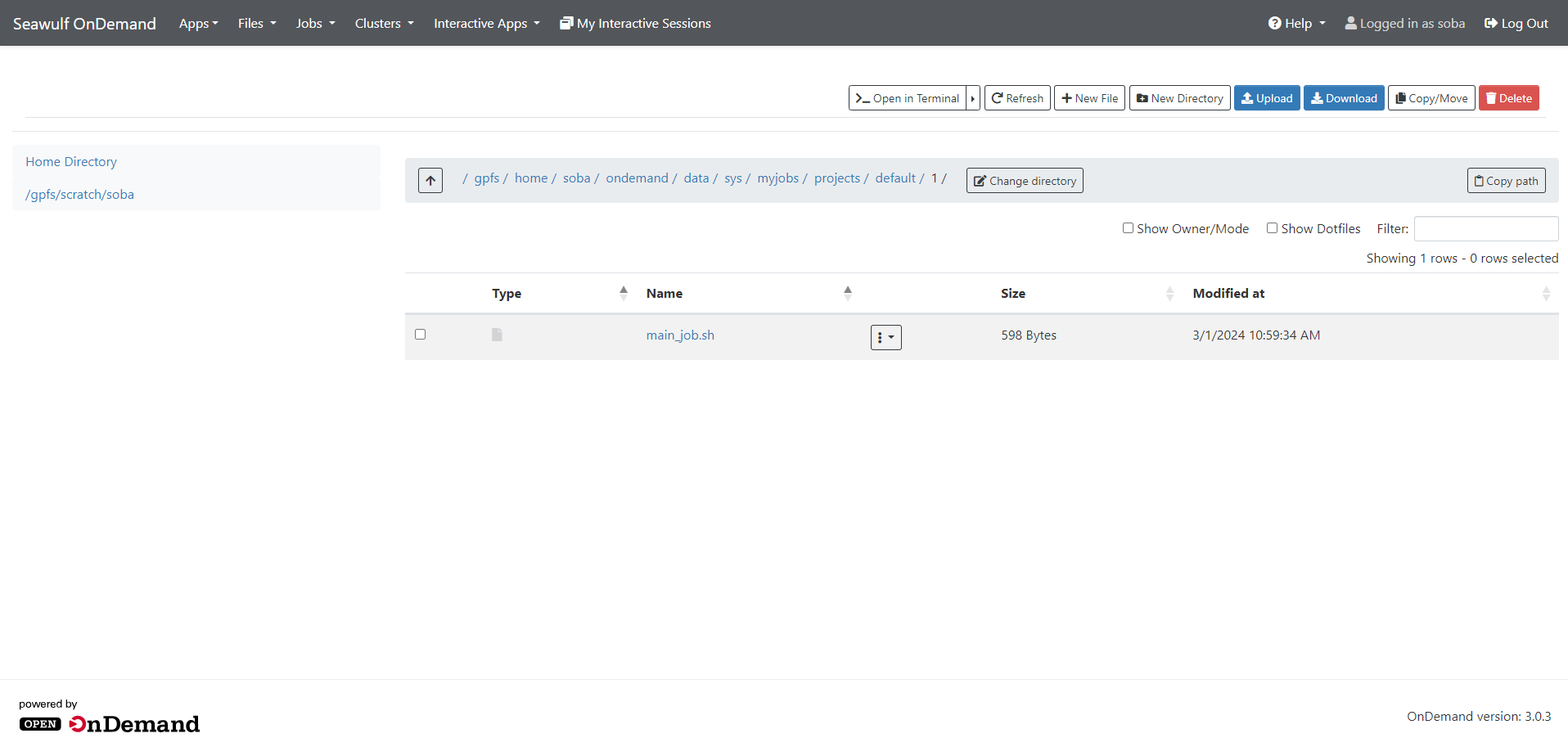
- Open Dir opens the job folder in the Files app, to upload input files or download results.
- Open Terminal gives you a shell in the job folder (it may ask for Duo again).
Check the #SBATCH lines before you submit: the queue, time, cores, and memory must suit your cluster. The job script builder and Writing job scripts help you pick them. On SeaWulf, the script needs module load slurm only if it runs Slurm commands itself.
Submit and manage
- Select the job in the list and click Submit. Its status changes to Queued, then Running, then Completed.
- Click Stop to cancel a job that's queued or running.
- When it finishes, open the job folder to read the output file (for example
slurm-12345.out). - Click Delete to remove a job and its folder when you no longer need it. Copy results you want to keep first.
Active Jobs in the Jobs menu shows everything you have queued or running, including jobs submitted from a terminal. See also Managing jobs.
Troubleshooting
My job failed right away
Open the job folder and read the output and error files. Common causes are a queue name that doesn't exist on that cluster, asking for more time than the queue allows, or a missing module.
My job stays Queued
The queue is busy or the request is large. See why with squeue -u $USER in a terminal, and see the queue selection guide.
Job Composer shows an error page instead of my jobs
Try Restart Web Server in the Help menu, then reopen Job Composer. If the error stays, open a ticket with the cluster name. In the meantime you can submit the same script from a terminal with sbatch.
Related: OnDemand overview · Writing job scripts · Managing jobs